
How to setup and fund Moomoo account: A step-by-step guide
Brokerage Account
By Beansprout • 17 Jan 2026
Why trust Beansprout? We’ve been awarded Best Investment Website at the SIAS Investors’ Choice Awards 2025
Learn how to register, set-up and fund your Moomoo Singapore account with this step-by-step guide for beginners. Understand how to get started with your Moomoo Singapore account.

What happened?
One of the first steps you need to take as a new investor is to open a stock brokerage account.
If you have decided to sign up for a Moomoo account, you may be wondering what are the additional steps you will need to take to register for a Moomoo account and get started on your investing journey.
Regardless of whether you are using the Moomoo account to invest with low fees, or to access Moomoo Cash Plus, or just to tap on Moomoo sign-up promo, we’ll walk you through how to set up your account in three simple steps and apply the Beansprout promo code for extra rewards.
Simply follow our step-by-step guide to start your investing journey with Moomoo!
Step 1: Sign up for a Moomoo account
Firstly, sign up for a Moomoo account using this link.
Tip: You will be eligible for exclusive sign-up rewards when you use Beansprout’s exclusive link and apply our promo code within the moomoo app.
You will be re-directed to the Moomoo signup page.
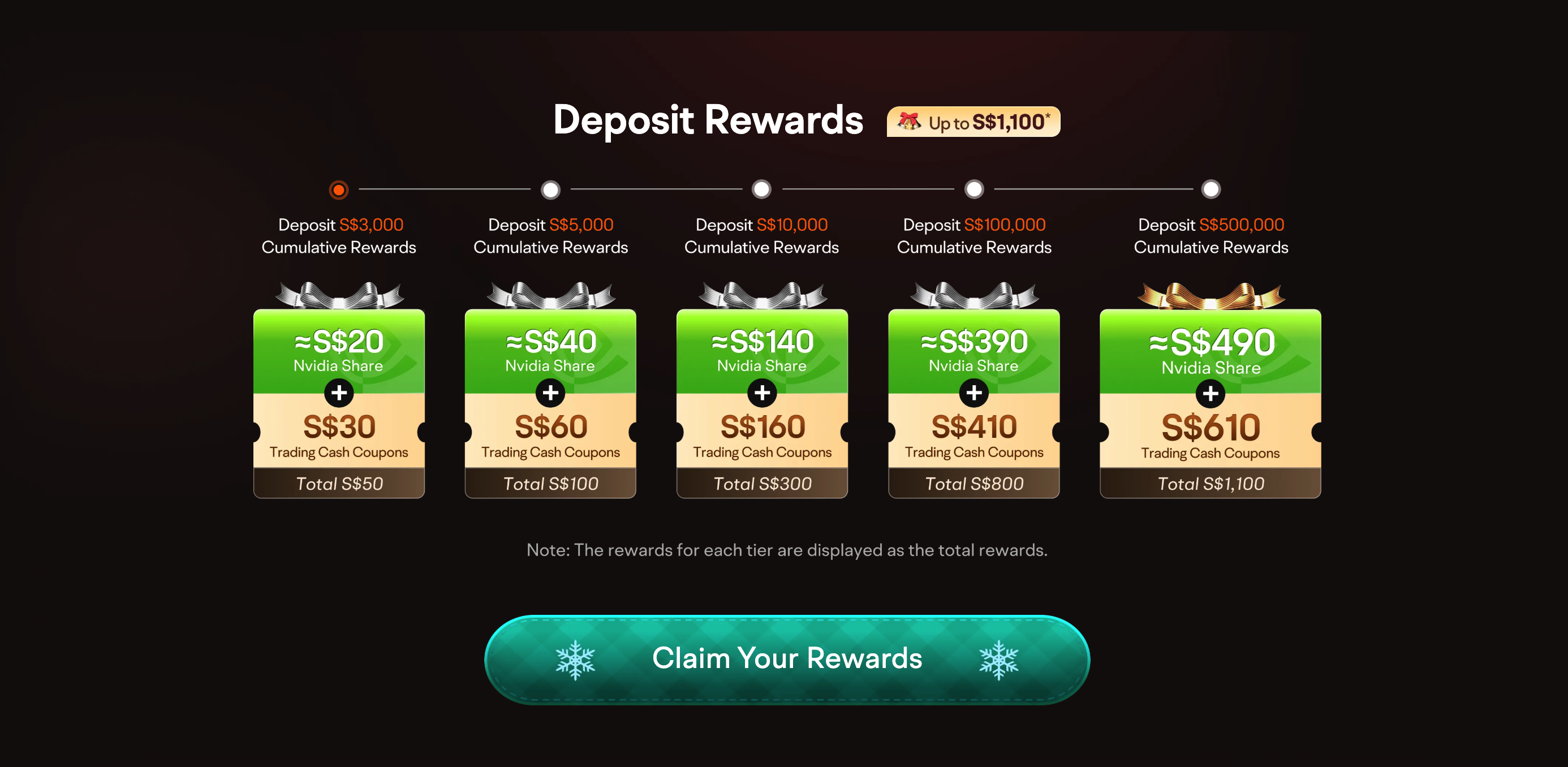
Click on the ‘Claim Your Rewards’ button on the page to continue your sign-up.
You will be asked to provide your phone number to continue your sign up.

You will be sent a verification code that will be used to confirm your contact details and continue the sign-up process.
After you have confirmed the verification code that is sent to your phone, you will be prompted to set a new password.
Once you have set a new password, you will be redirected back to the Moomoo signup page.
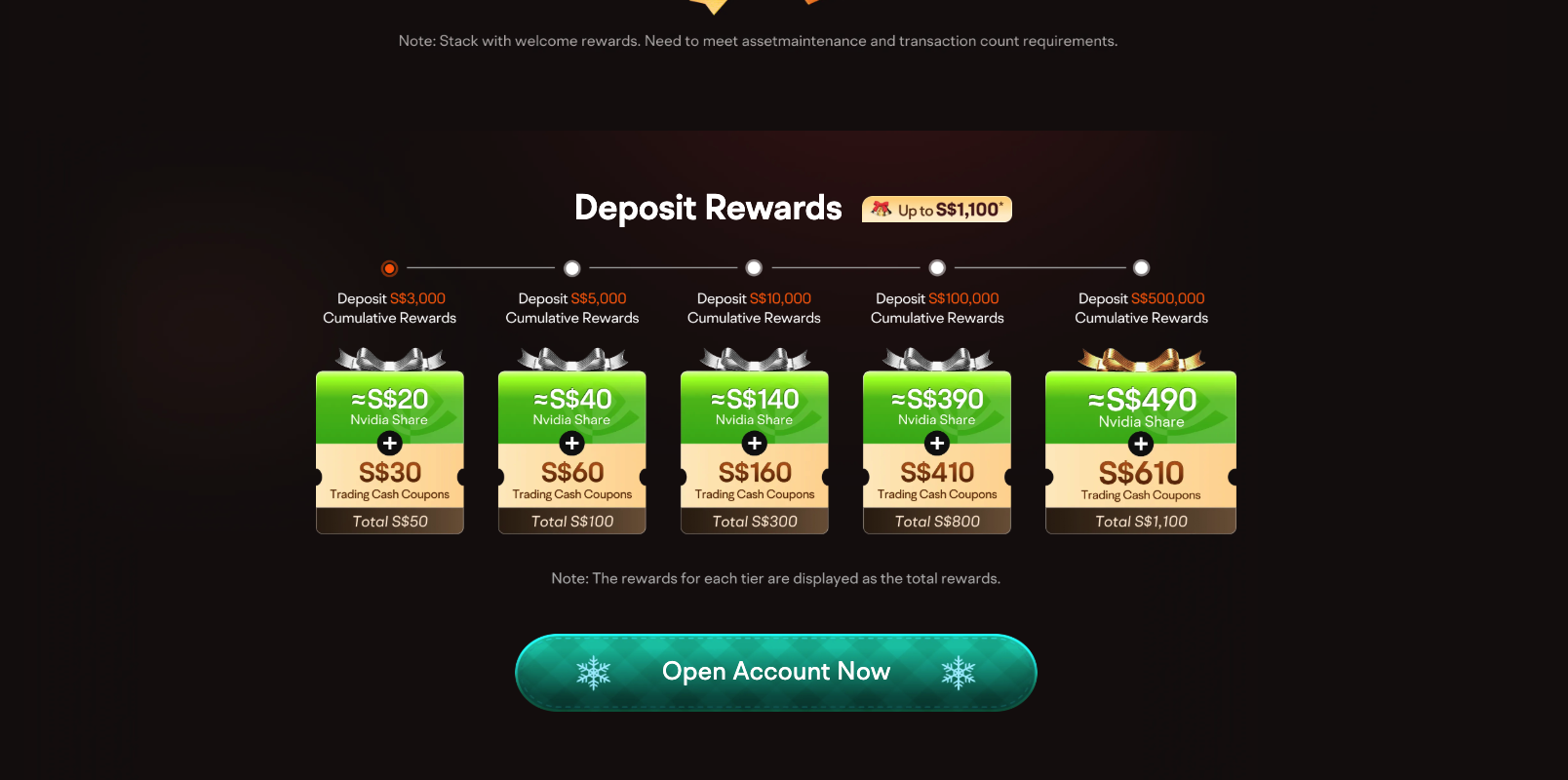
This time, click on the ‘Open Account now’ button on the page to continue your sign-up.
Step 2: Provide signup details
You will be asked to provide additional details to complete the registration.
First, you will have to choose your identity of whether you are a Singapore citizen, Singapore permanent resident, foreigner residing in Singapore, or Other.

If you have a SingPass account, you can continue your sign-up process by opening your account using MyInfo.
Your personal data will be retrieved from verified government sources to complete the online form for registration.

Once your personal data has been retrieved, you will be asked to confirm the information.

You will be asked to provide some additional details, such as your employment status, financial information and email to complete the registration.


Next, you will be shown a risk disclosure.
Do read through the risk disclosure and be aware of that all investments come with risks before you continue with setting up your account.

After you have accepted the risk disclosure, you will be asked to fund your Moomoo account.
To receive our exclusive sign-up rewards, tap “Later” so you can enter the promo code in the moomoo mobile app after downloading it in the next step, before making your first deposit.
After selecting the “Later” button, you will be prompted to provide feedback.
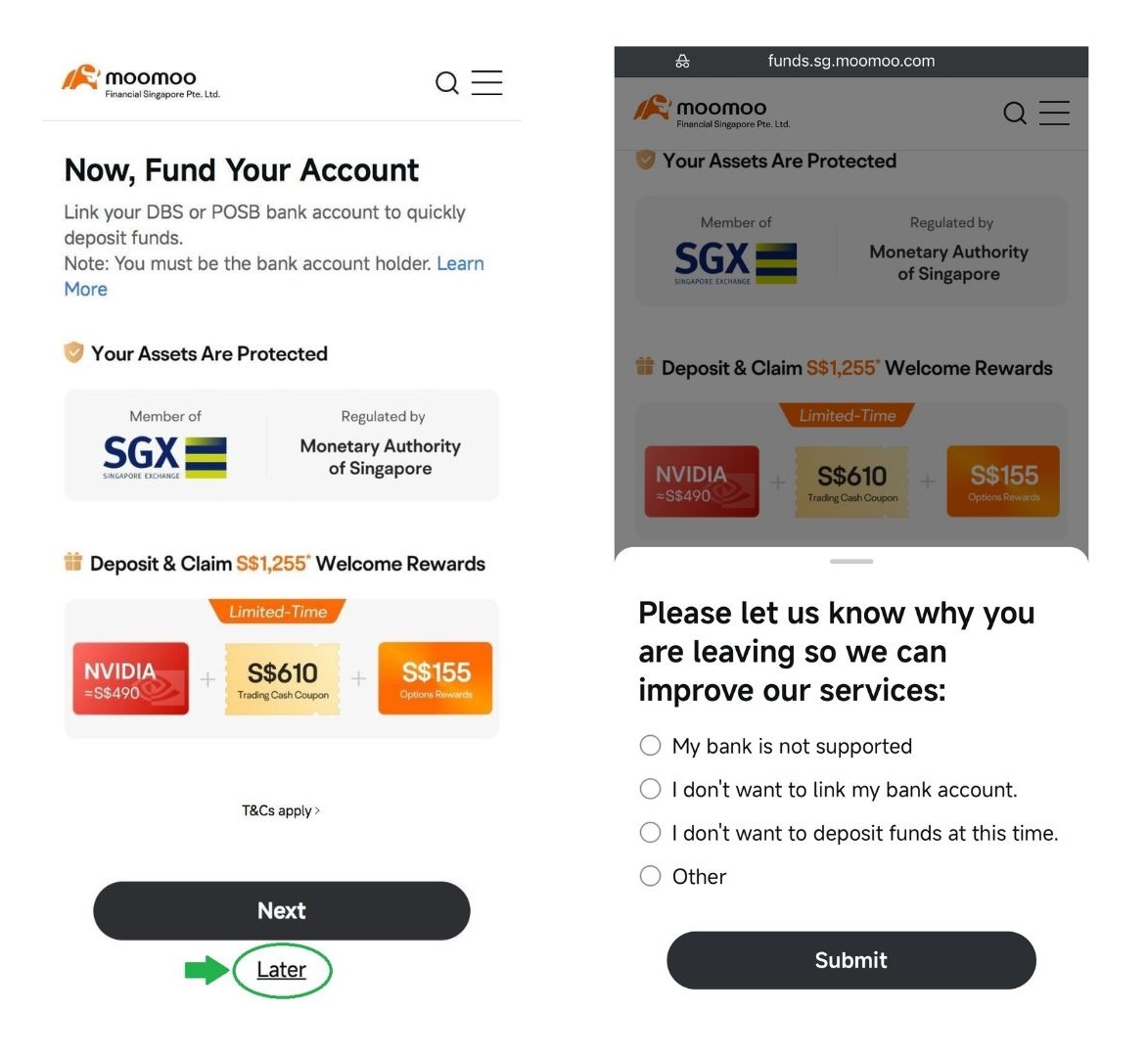
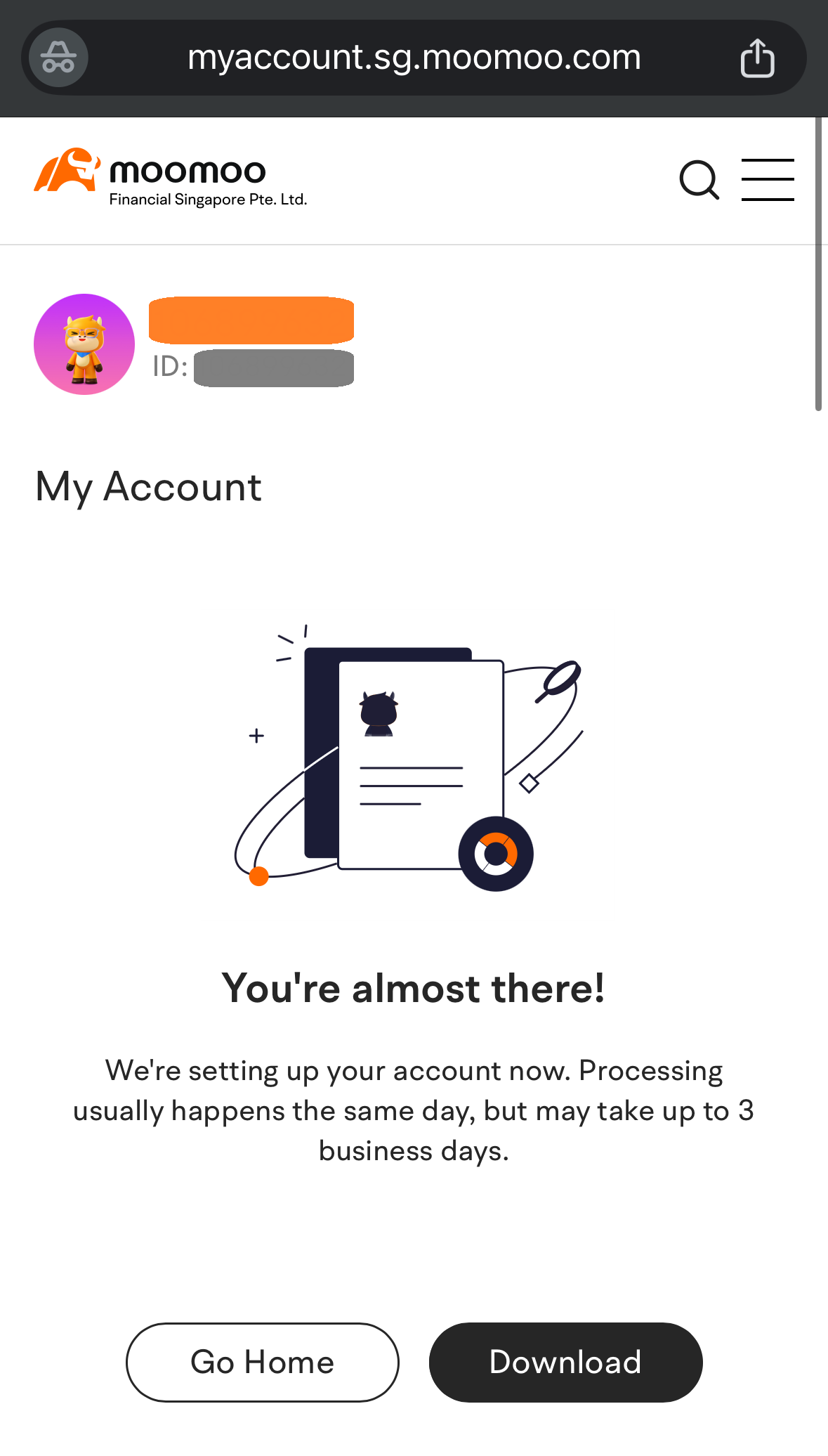
Once you submit the feedback, you will receive a confirmation that your application has been submitted.
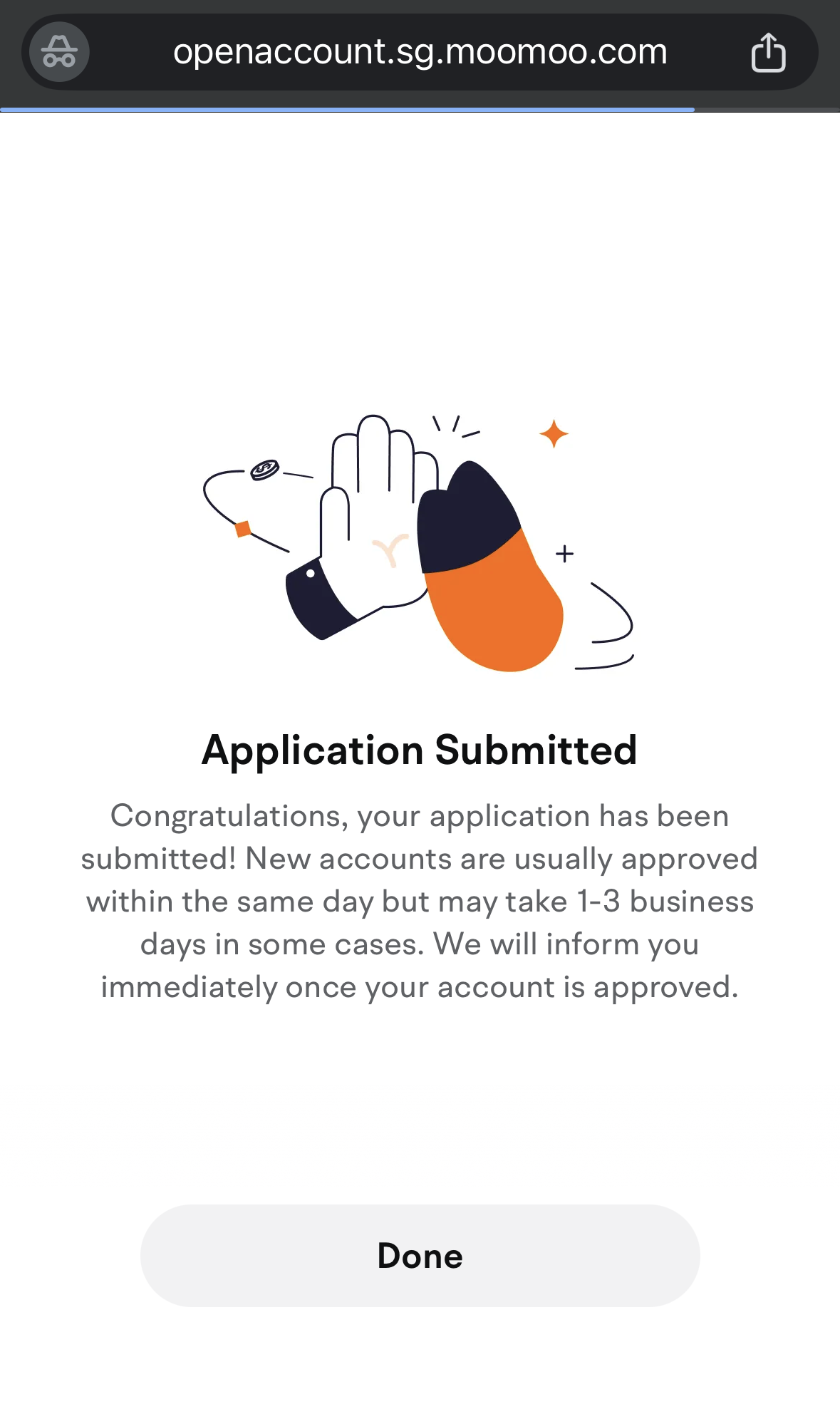
New accounts are usually approved within the same day but may take 1-3 business days in some cases.
You will receive a notification via the email provided once your account is approved.
Meanwhile, you can download the moomoo mobile app while your account is being approved.
Step 3: Apply promo code, link your bank account and make a deposit
After downloading the Moomoo app on your mobile phone, the next step is to fund your account.
To receive additional exclusive welcome rewards, apply the promo code BEANSPROUTS1 before making your first deposit. This qualifies you for the Moomoo x Beansprout sign-up promotion.
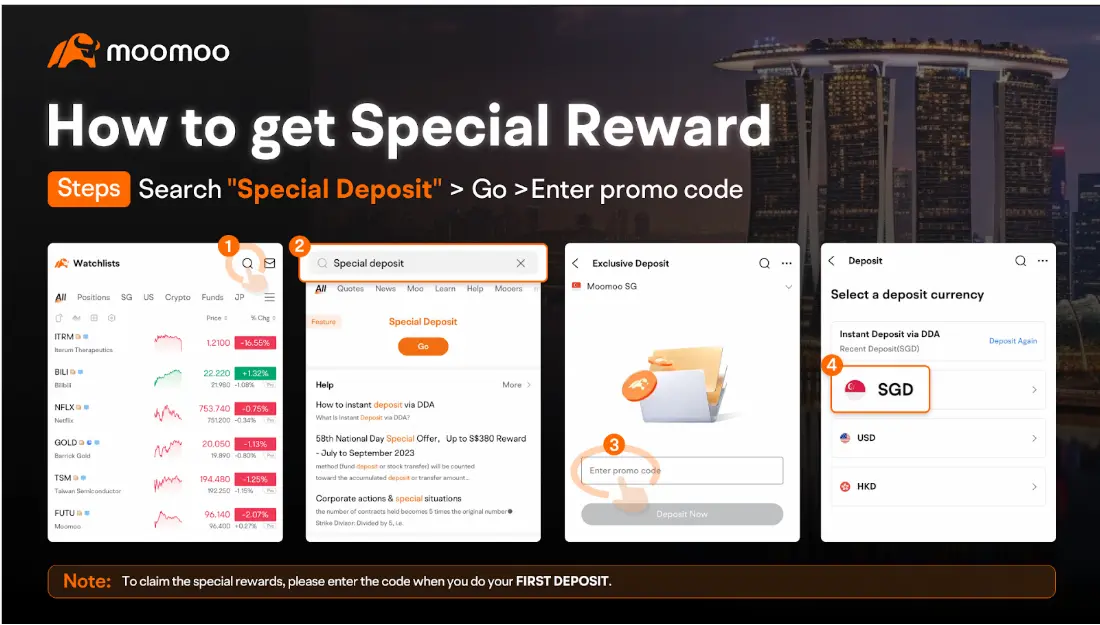
Here’s how to apply the promo code before funding (via the Moomoo mobile app):
- Open the Moomoo app on your mobile phone.
- Search for “Special Deposit” and tap on ‘Go’.
- Enter the promo code BEANSPROUTS1 and tap ‘Deposit Now’ to continue.
- On the next page, you can select your deposit currency. Choose ‘SGD’.
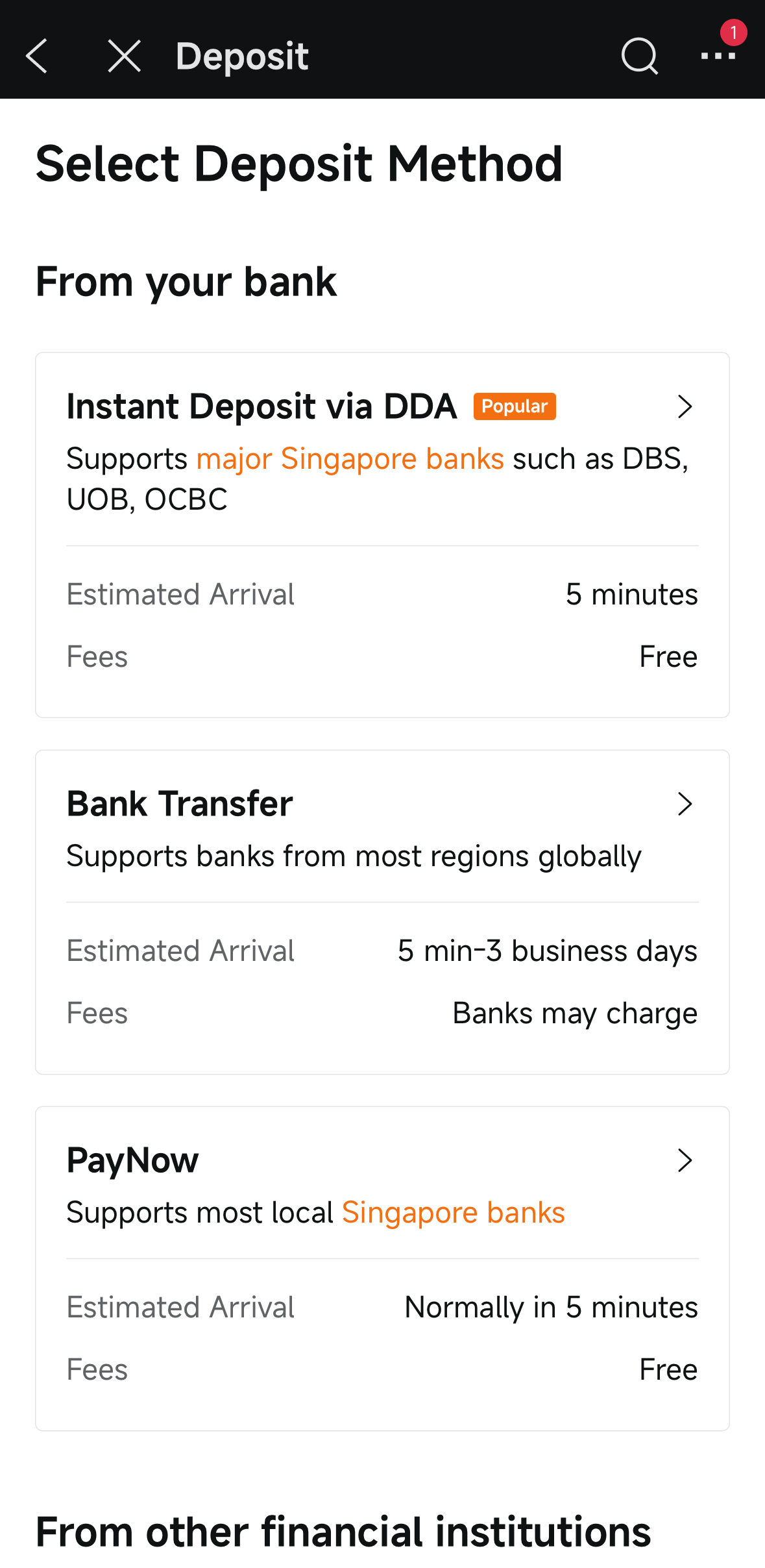
Next, you will be taken to the deposit method page. Select ‘Instant Deposit via DDA’.
You will then be redirected to link your DDA deposit bank to fund your account. As an example, I’ll be linking with DBS/POSB to fund my account.
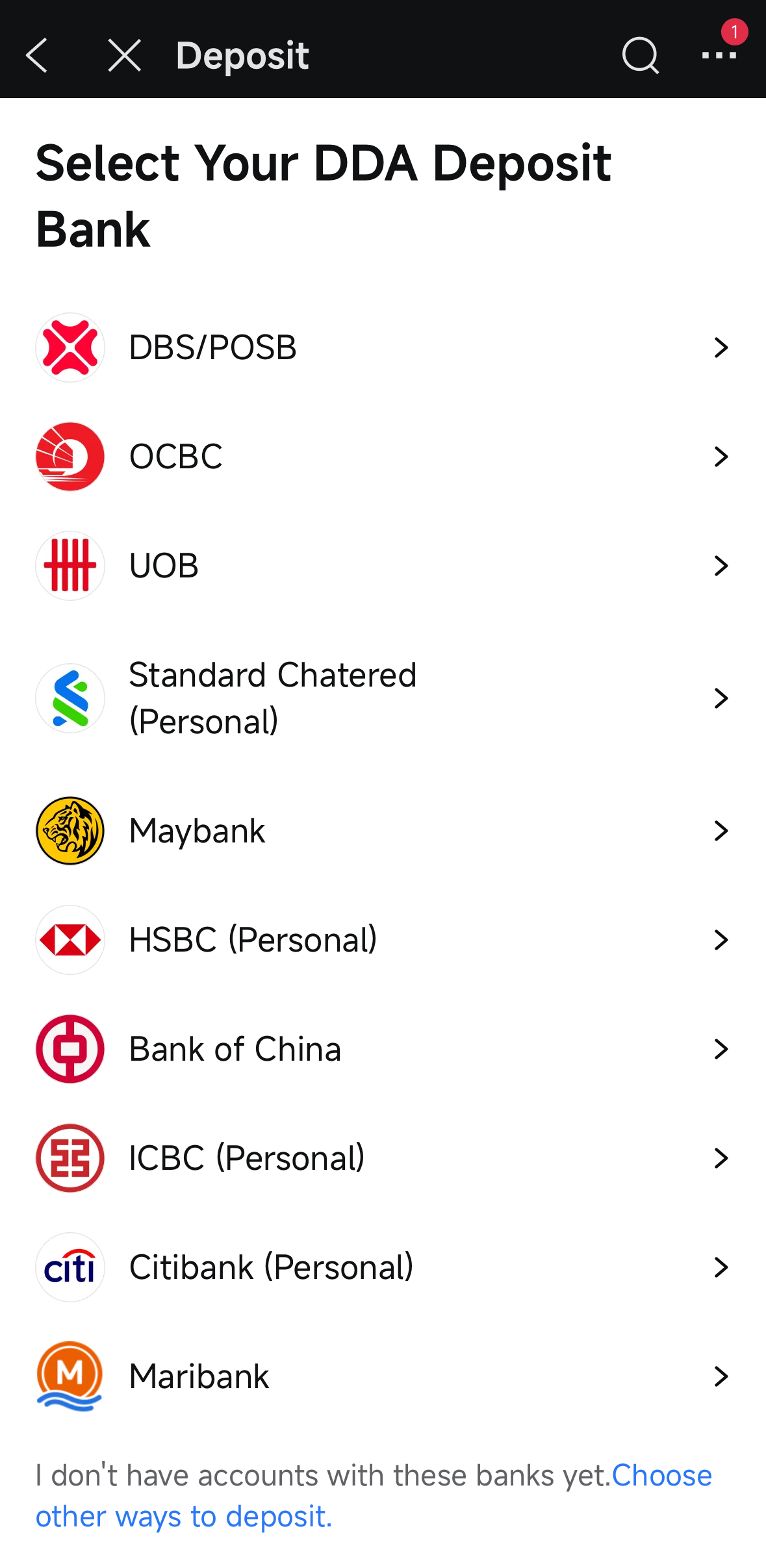
Linking your DBS/POSB to fund your account is free and instant. Your money will be available in minutes once your application is approved and your bank account is verified.
In addition, your money is kept in custody and trust accounts with licensed or regulated banks.
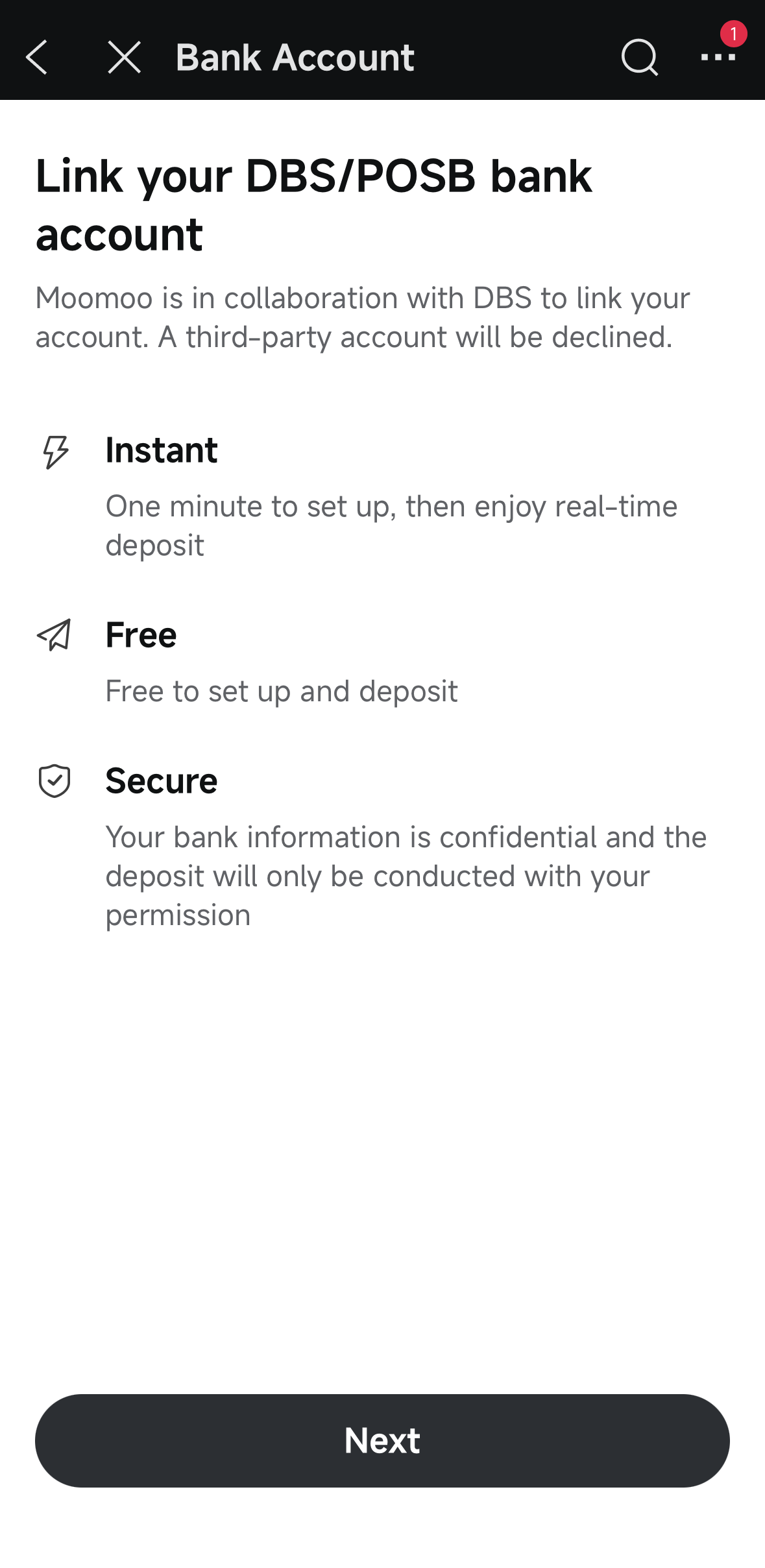
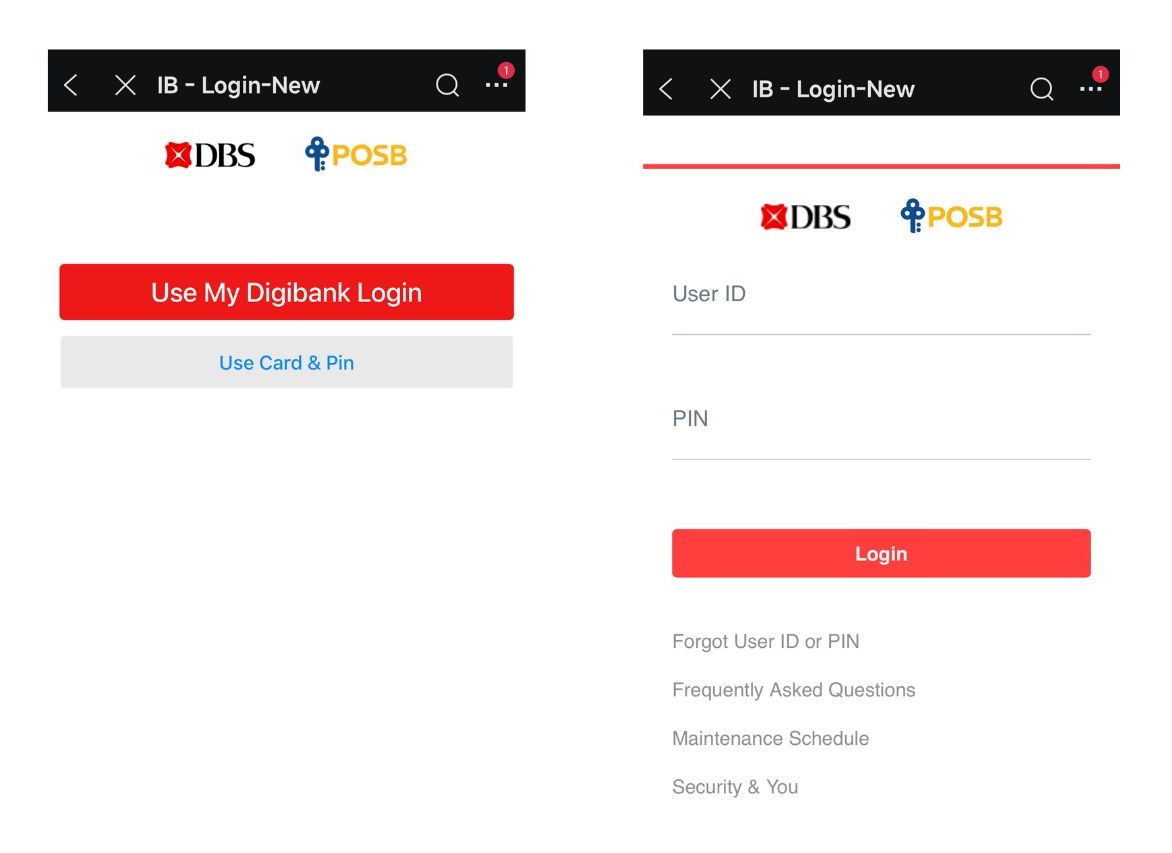
You will receive a confirmation once your account has been linked.
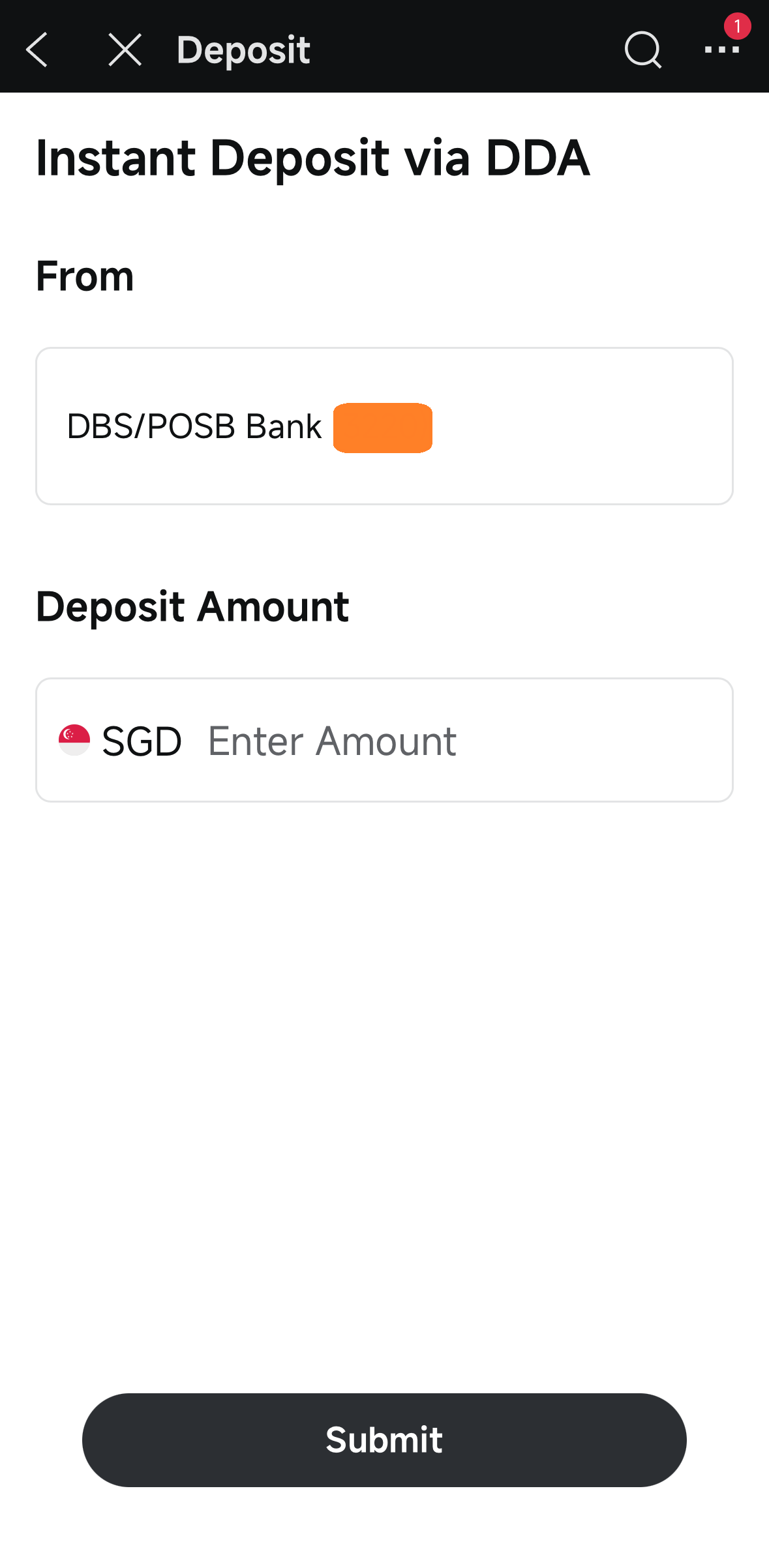
Once your bank account is linked, you can proceed to fund with ‘Instant Deposit via DDA’. Enter your deposit amount and tap ‘Submit’.
If you choose to fund your account with S$2,000, you will be eligible for additional welcome rewards. Find out the exclusive rewards you can receive when you sign up via Beansprout here.
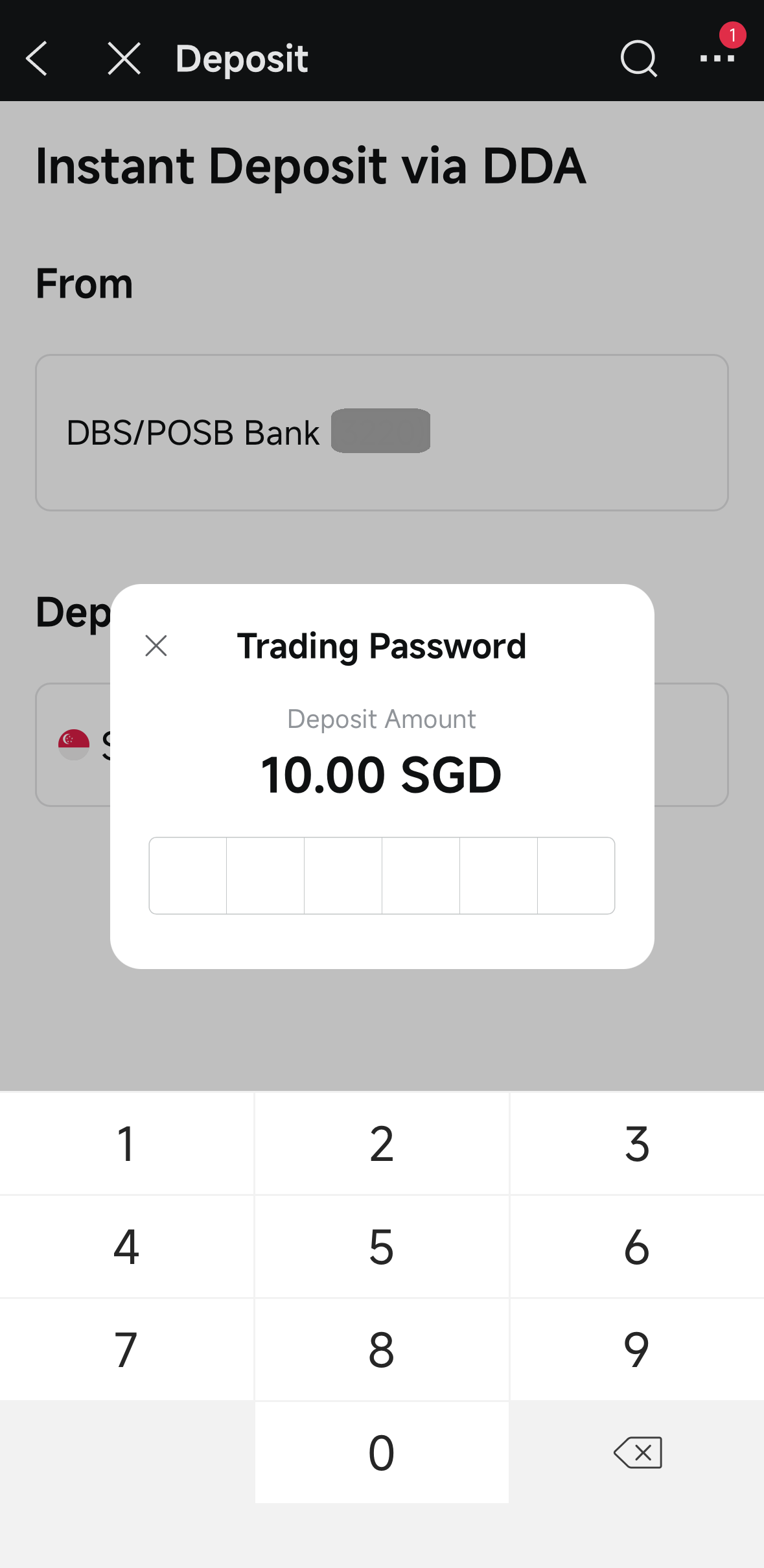
Enter your 6-digit trading PIN to complete the deposit.
Once completed, you will receive a confirmation that your deposit request has been submitted.
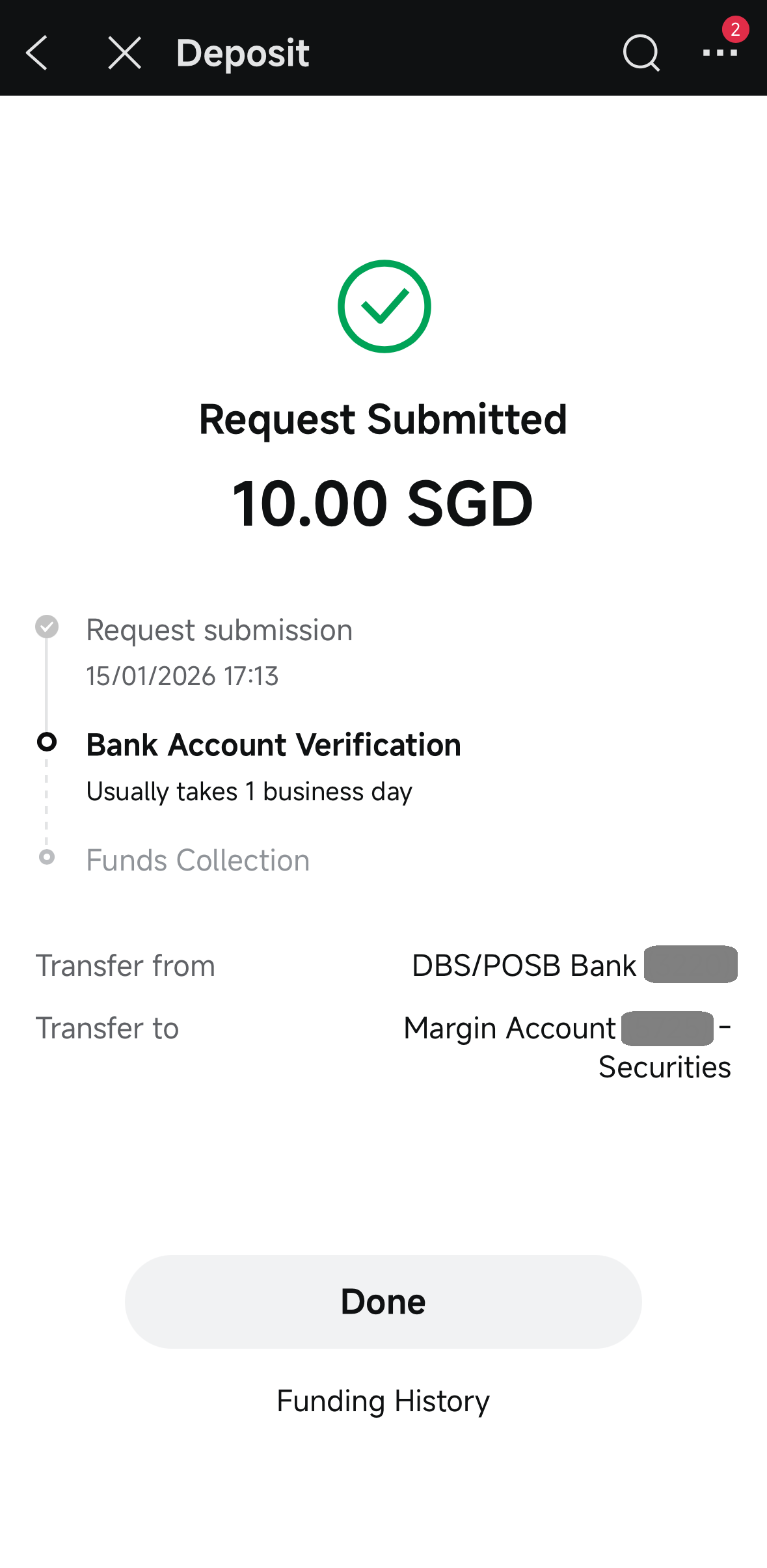
Your deposit will be initiated once your application is approved and your bank account is verified.
That’s it! You’ve successfully set up and funded your Moomoo account, and are also now eligible for exclusive Beansprout rewards.
What would Beansprout do?
If you're just getting started with investing, Moomoo Singapore stands out as a beginner-friendly platform.
With just three steps — signing up, filling in your details, and funding your account — you’ll be ready to begin your investing journey.
The process is smooth, especially with SingPass registration and Instant Deposit via DDA method to fund your moomoo account.
Before you fund your account, remember to apply the BEANSPROUTS1 promo code in the moomoo app and complete your funding in the same session so you can get the exclusive rewards.
Here are the exclusive rewards you can receive when you sign up via Beansprout:
Learn more about the Moomoo promotion here.
Once your account is approved, you can start investing on Moomoo using either the mobile app or desktop platform.
To find out more about Moomoo including how much it costs to buy and sell stocks, read our detailed review on Moomoo.
To learn more about Moomoo Cash Plus, we have covered it in our review here.
Alternatively, you can explore and compare the best online brokerage platforms in Singapore here.
Interested in other new user promos for opening a new brokerage account this month? Check out other deals happening right now.

Get S$50 Fairprice voucher within 5 working days, with promo code BEANSPROUTS1 plus up to S$1,200* in welcome rewards.
Sign up nowRead also
Gain financial insights in minutes
Subscribe to our free weekly newsletter for more insights to grow your wealth
Most Popular

Comments
0 comments
